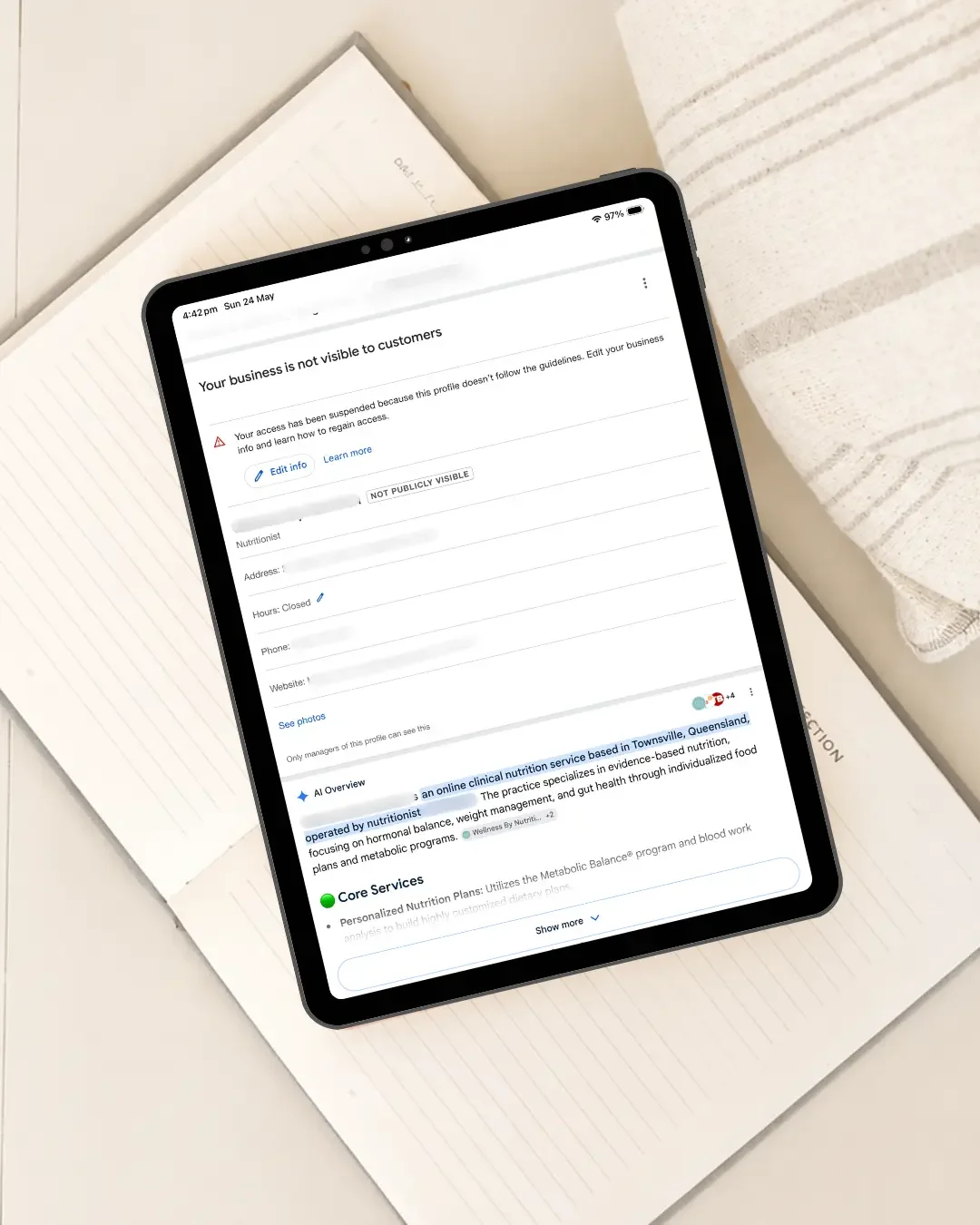
Can You Create a New Google Business Profile After Suspension?
When a Google Business Profile is suspended, one of the first thoughts many business owners have is:
“Can I just create a new Google Business Profile?”
It is an understandable question. If your profile has disappeared from Google Search or Google Maps, creating another listing can feel like the quickest way to get your business visible again. But for the same existing business, creating a replacement profile is generally not the right first step.
Google specifically advises businesses not to create a new Business Profile for the same business while an appeal is under review. Instead, the better approach is usually to work out why the existing profile was suspended, correct any issues and use Google’s appeal process.
Why Creating Another Google Business Profile Can Cause Problems
A second profile does not automatically solve whatever caused the original suspension.
Instead, you may end up with:
two profiles representing the same business
conflicting business information
duplicate listing issues
another profile being restricted
a more complicated reinstatement process
If Google already has a suspended profile for the business, creating another listing can make it harder to establish which profile should represent the business. The goal should usually be to fix the underlying issue rather than replace the profile.
Why Was Your Google Business Profile Suspended?
Before doing anything else, you need to understand what may have triggered the suspension. Google states that Business Profiles may be suspended or disabled when they do not follow its guidelines. The current appeals tool can also show the restricted profile, the reason for the moderation action and a link to the policy involved.
Possible issues can include:
incorrect business information
address or service-area problems
duplicate profiles
verification issues
inappropriate changes to the business name
profile information that does not accurately represent the real business
broader Google Business Profile guideline issues
The exact cause will vary from business to business. That is why creating a replacement listing before understanding the original problem can backfire.
What Should You Do Instead?
Start by reviewing the existing profile carefully.
Check:
your business name
address or service area
phone number
website
business category
opening hours
recent profile changes
whether another profile for the same business already exists
Then compare the profile against Google’s Business Profile guidelines. If something is incorrect, fix what you reasonably can before submitting your appeal.
Use Google’s Business Profile Appeals Process
For a suspended or disabled profile, Google currently directs businesses to the Google Business Profile appeals tool.
The process generally involves:
signing into the Google Account associated with the profile
selecting the affected Business Profile
reviewing the restriction information
submitting an appeal
providing supporting evidence where appropriate
Google says supporting evidence may include documents such as:
official business registration
a business licence
tax documentation
utility bills linked to the business
The details on supporting documents should match the business information associated with the profile you are appealing.
Do Not Create Another Profile While Your Appeal Is Under Review
This point deserves its own section because it directly answers the question many business owners are searching.
Google’s current guidance states:
Do not create a new Business Profile for the same business while your appeal is under review.
If you have already submitted an appeal, avoid making unnecessary changes while Google is reviewing the case. You want Google assessing one clear, accurate representation of your business rather than dealing with multiple profiles and conflicting information.
What If Your Appeal Is Denied?
A denied appeal does not automatically mean you should create another profile. Google currently provides an option for an additional review in some cases where the initial reinstatement request has been denied. Additional evidence that was not supplied with the original appeal can be provided.
Before taking the next step, it is worth checking whether:
the business actually qualifies for a Google Business Profile
the information complies with Google’s guidelines
the original suspension reason has been addressed
your supporting evidence is strong enough
the profile accurately reflects the real-world business
Simply recreating the listing does not resolve those issues.
What About Your Reviews?
This is another reason to avoid abandoning an existing profile too quickly.
Your established profile may contain valuable:
customer reviews
photos
profile history
business information
customer familiarity
Starting again with another listing may mean rebuilding much of that presence from scratch. Where reinstatement is available, preserving the legitimate existing profile is generally preferable to abandoning it unnecessarily.
When Would a New Google Business Profile Be Appropriate?
There are situations where creating a new profile can be legitimate - for example, when there is a genuinely new and separately eligible business. That is very different from creating a replacement listing simply because an existing profile has been suspended. If you are unsure whether your situation qualifies, it is safer to confirm that before creating another profile.
Frequently Asked Questions
Can I Create a New Google Business Profile While My Current One Is Suspended?
For the same existing business, you generally should not create a replacement profile while an appeal is under review. Google specifically advises against doing so.
What Should I Do If My Google Business Profile Is Suspended?
Review the reason for the suspension, check the profile against Google’s guidelines, correct any issues and submit an appeal through Google’s Business Profile appeals tool.
Will Creating Another Profile Fix the Suspension?
Not necessarily. If the underlying business information or eligibility issue remains, creating another profile may simply create another problem.
What Evidence Can I Use for a Google Business Profile Appeal?
Google says supporting evidence may include business registration documents, licences, tax certificates and utility bills. The information should match the business details associated with the profile being appealed.
What If My Google Business Profile Appeal Is Rejected?
A rejected appeal does not automatically mean you should create a new profile. In some cases, Google may allow an additional review, particularly if you can provide further evidence or correct an issue that was missed the first time.
If you’re also wondering how long the process can take, see How Long Does Google Business Profile Reinstatement Take in Australia?
Had Your Google Business Profile Suspended?
A suspension can be frustrating, particularly when Google is an important source of enquiries for your business. But creating another listing immediately is rarely the best first move. The better starting point is understanding what happened, checking the profile carefully and working through the correct reinstatement process.
At NQ Social Collective, I provide Google Business Profile support for businesses dealing with profile issues, visibility problems and wider Google setup concerns.
I can also review how your Google Business Profile and website are working together through an Online Setup Review.
Continue Reading
If you found this helpful, you might also like:
How Long Does Google Business Profile Reinstatement Take in Australia?
Do You Need a Website if You Already Have a Google Business Profile?
Why Your Website and Google Listing Need to Work Together
Explore Google Business Profile Optimisation →
Request a Free Online Setup Review →
View All Services →
Get in Touch →