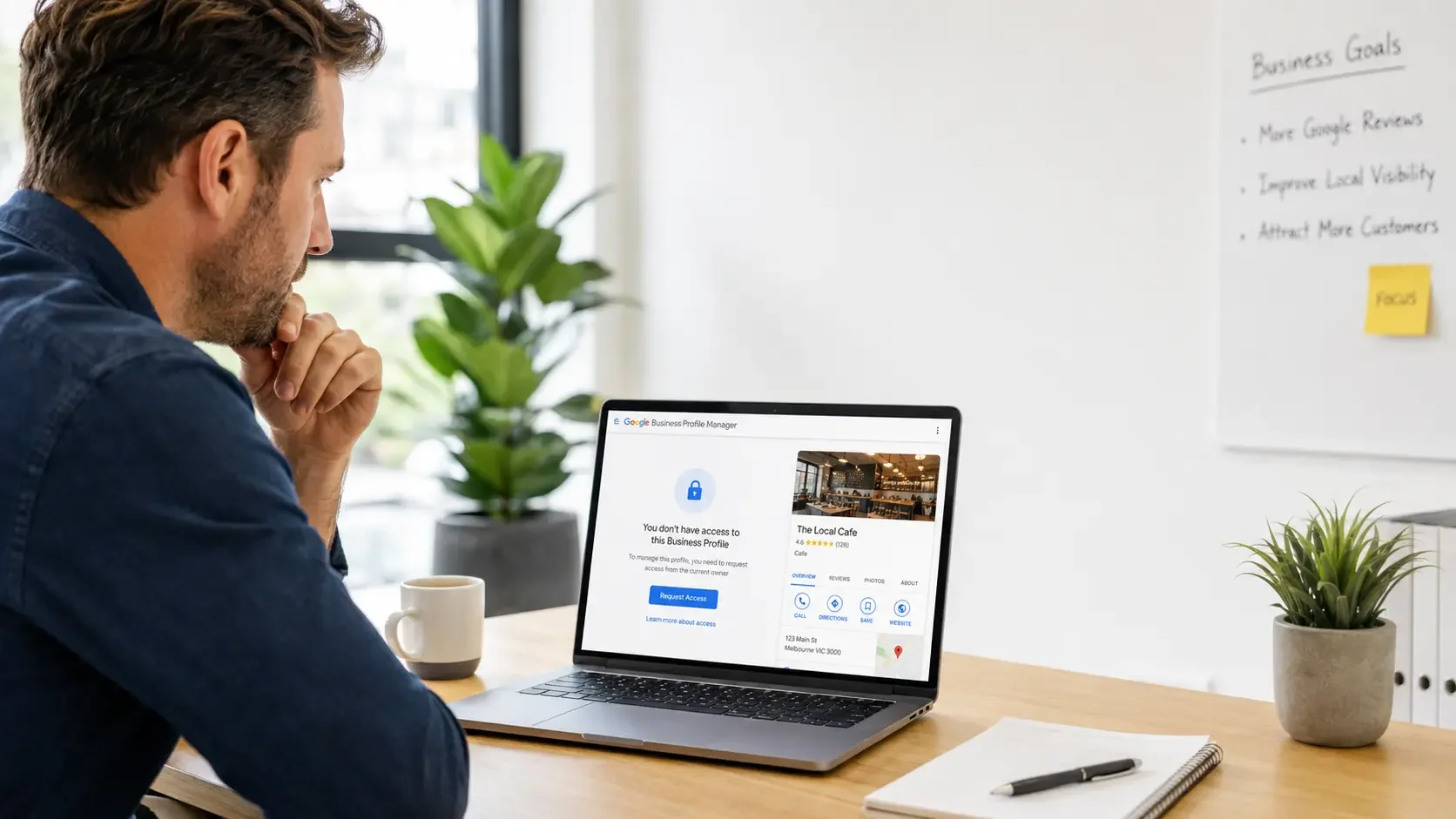
Losing access to your Google Business Profile can be frustrating, particularly when the listing is still appearing on Google Search and Google Maps but you can no longer update it.
This often happens because:
an old employee originally created the profile
a previous marketing agency still controls it
nobody remembers which Google account was used
the original email address is no longer accessible
another person appears to own or manage the profile
The important thing is not to immediately create a new Google Business Profile. In many cases, the existing profile can be recovered or access can be requested. The first step is working out exactly what kind of access problem you have.
Do You Need Account Recovery or Business Profile Access?
There are two common situations.
1. You know which Google account owns the profile, but you can't log in
For example, you know the profile was created using a particular Gmail or business Google account, but you have forgotten the password or can no longer access the account. In this situation, the first step is usually Google Account recovery.
2. Another Google account appears to own the profile
You may search for your business and discover Google is telling you that someone else already manages the listing. If you are authorised to manage the business, you may be able to request access to the existing Google Business Profile. These are two different problems, so it is worth identifying which one applies before you start making changes.
First, Check Whether You Already Have Access
Before starting an ownership request, check the Google accounts that may previously have been used for the business.
This might include:
your main business email
an old Gmail account
another director's account
an administration email
a previous marketing account
an account used by a staff member
Sign into each likely account and search Google for your business name. You may discover that the Business Profile is already connected to one of them. This is especially common for businesses that have been operating for several years and have changed employees, website providers or marketing companies along the way.
What If Someone Else Owns My Google Business Profile?
If another account currently manages the verified profile, don't create a replacement listing straight away. Google provides an ownership request process for eligible businesses. You can find the existing Business Profile and request access if you are authorised to manage the business. The current owner is then given an opportunity to respond to that request.
Depending on what happens, your request may be:
approved
denied
left unanswered
If the request is approved, you can gain access to the existing profile. If it is denied, Google may provide further options depending on the circumstances. If the current owner does not respond, Google may give you an opportunity to continue the process and verify your connection to the business.
What If an Old Employee Created the Profile?
This is a very common Google Business Profile problem. A staff member may have created the listing years ago using their own Google account and then left the business. If you are still in contact with them, the easiest solution may be for them to add an appropriate business-controlled account as an owner. If they can no longer be contacted, you may need to go through Google's ownership request process. Once the problem is resolved, make sure the business itself has appropriate ownership access rather than relying entirely on one employee.
What If My Previous Marketing Agency Controls It?
The same issue can happen when a website designer, marketing agency or consultant originally sets up a Google Business Profile. Start by checking whether your business already has owner or manager access. If the previous provider is cooperative, ask them to review the users on the profile and give the business the appropriate access. If you cannot contact them or they are the only account controlling the listing, Google's ownership request process may be necessary. Your marketing provider can help manage your Google Business Profile, but the business should ideally retain appropriate control of the asset.
Should I Just Create a New Google Business Profile?
Usually, no. If an existing Google Business Profile already represents the same business, creating another one can result in a duplicate listing.
That can make the situation more complicated and may lead to confusion around:
which listing Google should display
where your reviews appear
which information is correct
which profile is verified
who actually controls the listing
Before creating anything new, identify whether an existing profile can be recovered. This is particularly important if the current listing already contains customer reviews, photos and established business information.
What Happens Once I Get Access Back?
Once access has been restored, don't immediately change everything on the profile. First, review the information carefully.
Check your:
business name
address
phone number
website
opening hours
service areas
primary and secondary categories
services
photos
users with access
You should also check who currently has permission to manage the profile and remove people who genuinely no longer need access. Ideally, the business should retain appropriate ownership access so the same issue does not happen again later.
Can Recovering Access Affect My Reviews?
Recovering access to the existing Google Business Profile is different from deleting the profile and creating a new one. That is one of the reasons recovering the existing profile is usually preferable. If the listing already contains legitimate reviews and business history, preserving the existing profile can be important. If you have accidentally created another listing already, avoid deleting either one until you understand which profile is verified and how Google is treating them.
How Can I Prevent This Happening Again?
Once access has been sorted out, take a few simple steps to protect the business.
Make sure:
the business has its own appropriate owner access
you know which account is connected to the profile
old employees are removed when they leave
previous agencies are removed when they no longer require access
staff and providers are added properly rather than sharing passwords
Google Business Profile access is included in business handovers
It is also worth keeping a record of who owns or manages your other important online assets, including your website, domain name, Google Analytics, Google Search Console and social media accounts.
Frequently Asked Questions
How do I regain access to my Google Business Profile?
First determine whether you have lost access to the Google account that already manages the profile or whether another account owns the listing. If another account controls it, you may need to request access through Google's Business Profile ownership process.
What if I don't know who owns my Google Business Profile?
Check whether the account could belong to a previous employee, business owner, marketing company, website provider or administrator. If you still cannot identify the owner and you are authorised to manage the business, you may need to request access through Google.
Can an old employee transfer my Google Business Profile to me?
If they still have appropriate access, they may be able to add your business account as an owner and transfer the relevant ownership permissions.
Should I create a new profile if I can't access the old one?
Usually not as your first step. If an existing profile already represents the business, creating another one can result in duplicate Google Business Profiles.
Can NQ Social Collective help businesses outside Townsville?
Yes. NQ Social Collective provides Google Business Profile help to businesses throughout Australia, including access problems, ownership issues, verification problems, duplicate listings, suspensions and optimisation.
Need Help Recovering Your Google Business Profile?
If you have lost access to your Google Business Profile, the most important thing is to understand what has happened before making major changes. You may simply need to recover an old Google account, request ownership of the existing profile or correct the way access has been set up. NQ Social Collective can help you review the situation, understand what Google is asking for and work out the most appropriate next step.
NQ Social Collective provides Google Business Profile help to businesses throughout Australia.
Get Google Business Profile Help Australia →
Google Business Profile is a Google product. NQ Social Collective is an independent business and is not affiliated with or endorsed by Google.
Continue Reading
If you found this helpful, you might also like:
Google Business Profile Verification Problems in Australia (And How to Fix Them)
Can You Create a New Google Business Profile After Suspension?
How Long Does Google Reinstatement Take in Australia?
Why Your Website and Google Listing Need to Work Together
Google Business Profile Help Australia →
View All Services →
Get in Touch →