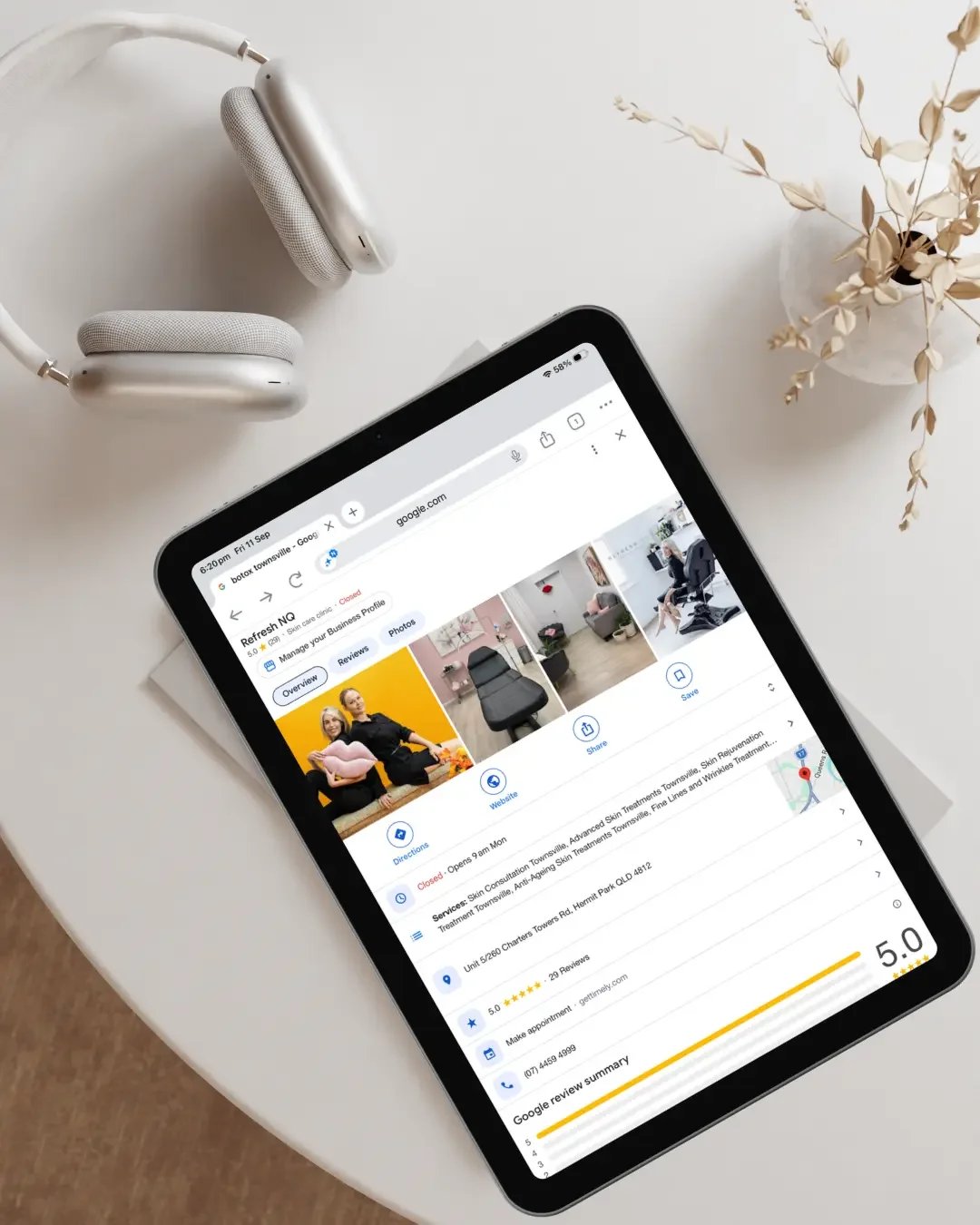
Most Townsville businesses know they should have a Google Business Profile. But there is a big difference between having a profile and having one that actually helps the business.
A Google Business Profile can technically be live and still be:
incomplete
outdated
unclear
poorly categorised
missing important services
inconsistent with the website
lacking useful photos or reviews
difficult for customers to act on
A strong profile should do more than help your business appear in search results.
It should help potential customers quickly understand:
what you do
where you work
whether you provide the service they need
whether your business looks genuine and established
whether other customers trust you
what they should do next
For Townsville businesses, where customers are often comparing only a handful of local options before making contact, those details matter.
A Good Google Business Profile should make sense immediately
When someone finds your business on Google, they should not have to work out what you actually do. Your business category, services, photos, reviews, description, contact details and website should all reinforce the same message.
A roofer should clearly look like a roofer.
An allied health clinic should clearly explain the services it provides.
An earthmoving business should make it obvious what equipment, services and areas it covers.
A professional service business should make it easy for someone to understand who they help and how to contact them.
If the profile feels vague or incomplete, the customer may simply move to the next option.
1. Choose the Right Primary Business Category
Your primary category is one of the most important parts of your Google Business Profile. It helps Google understand what your business primarily does. The key is accuracy.
Choosing a broader category because it sounds more impressive is not necessarily better. The primary category should reflect the main activity of the business as closely as possible.
Secondary categories can then be added where they genuinely represent other services you provide.
The goal is not to add as many categories as possible. The goal is to make it easy for both Google and potential customers to understand what kind of business you are.
2. Clearly list the services you actually want customers to find
Your service section should reflect the work you actually want enquiries for. A surprising number of businesses either leave this area almost empty or use very broad service names that do not tell customers much.
Your services should be:
accurate
specific
relevant
current
For example, depending on the business, that might include:
roof repairs
reroofing
blocked drain repairs
switchboard upgrades
custom kitchens
website redesign
occupational therapy assessments
relationship counselling
The exact services obviously depend on the business. What matters is that someone finding your profile can quickly see whether you provide what they need.
3. Keep your business information accurate
Basic information sounds simple, but it is one of the easiest areas for businesses to neglect.
Check that your profile has the correct:
business name
phone number
website
address, where applicable
service areas
opening hours
booking links
contact options
This information should also align with your website and other important online profiles. If Google shows one phone number, your website shows another and Facebook has old opening hours, that creates unnecessary confusion.
A small inconsistency will not automatically destroy your visibility, but conflicting information can weaken trust very quickly.
4. Use the business description to explain the business clearly
Your business description does not need to sound clever. It needs to be useful.
A good description should help someone understand:
what the business does
who it helps
where it operates
the main services it provides
what makes the business relevant to the customer
Avoid filling it with generic statements such as:
“Quality service and customer satisfaction are our priority.”
That could describe almost any business. A clearer description gives the customer real context.
For example, a Townsville roofing business may mention residential and commercial roofing, roof repairs, reroofing and the areas it services. The goal is clarity, not keyword stuffing.
5. Use current, relevant photos
Photos are one of the strongest trust-building parts of a Google Business Profile. They help customers see that the business is real, active and established.
Useful photos may include:
completed work
before-and-after projects
staff
vehicles
premises
equipment
projects underway
clinic or office spaces
team photos
For service businesses, real photos are particularly valuable. A profile filled with old or generic images can feel neglected even when the business itself is busy. You do not need to upload photos constantly for the sake of activity. You simply want the profile to reflect the business as it exists today.
6. Build genuine reviews over time
Reviews are a major trust signal. Potential customers often look at them before they visit your website or make contact. But it is not simply about having the biggest number.
People may notice:
how recent the reviews are
whether they sound genuine
what services customers mention
whether the feedback is relevant
whether the business responds
A steady flow of genuine reviews is generally more convincing than a sudden burst followed by months of silence. If customers are happy with your work, having a simple process for requesting reviews can make a significant difference over time.
7. Respond to reviews professionally
Businesses should respond to reviews where practical - not only complaints.
A thoughtful response shows that the business:
values customers
is active
communicates professionally
pays attention
Responses do not need to be long. In fact, short and natural is usually better. Avoid copying the exact same generic response onto every review. A small amount of personalisation helps the business feel genuine.
8. Make sure your website supports what google is saying
Your Google Business Profile should not exist in isolation. If someone finds you on Google and then clicks through to your website, the experience should make sense.
The website should support information about:
what you do
where you work
your services
your experience
your business identity
how to make contact
A strong customer journey often looks like:
Google search → Google Business Profile → website → enquiry
If the Google profile looks strong but the website is confusing, outdated or difficult to use, trust can disappear very quickly. That is why Google visibility and website conversion should not be treated as completely separate problems.
9. Make your location or service area clear
For local businesses, geography matters. Customers want to know whether you actually service their area.
Depending on the business, that might involve:
a physical business address
selected service areas
location information on the website
Townsville and surrounding-area references
regional pages where they genuinely help customers
The goal is not to add every suburb imaginable. It is to accurately represent the real footprint of the business. For North Queensland businesses that travel across multiple areas, this can be particularly important.
10. Make it easy for customers to take the next step
If someone wants to contact you, the process should be simple.
Your profile may include options such as:
phone calls
website enquiries
appointment bookings
quote requests
directions
messaging, where available
The important thing is that those pathways actually work. A broken website link, outdated phone number or incorrect booking link can directly cost an enquiry. These details should be checked regularly.
11. Keep opening hours current
Opening hours are easy to overlook, but customers often check them before making contact.
Keep information accurate around:
standard trading hours
public holidays
temporary closures
appointment-only arrangements
Incorrect hours are frustrating for customers and can create an immediate trust problem.
12. Make sure the profile looks current
A strong Google Business Profile should not look abandoned. That does not mean posting constantly just to appear active. It means making sure the profile reflects the business today.
That may include:
current photos
current services
correct hours
updated contact information
recent reviews
working website links
accurate business details
Customers notice when a profile feels neglected.
13. Avoid unnecessary keyword stuffing
One of the easiest ways to create problems with a Google Business Profile is trying too hard to manipulate it. Your business name should reflect the real-world business name.
Adding unnecessary keywords such as:
“Best Roofer Townsville Roof Repairs Metal Roofing”
may look like an attempt to rank higher, but it can also create compliance issues. The goal is not to force keywords into every field. The goal is to optimise the profile properly within Google’s guidelines.
14. make sure Google, your website and social media all match
Customers do not view your Google profile in isolation.
They may move between:
Google
your website
Facebook
Instagram
reviews
online directories
Those platforms do not need to look identical. But they should clearly feel like the same business. Your services, branding, contact details, positioning and general message should align. If every platform tells a different story, trust becomes weaker.
What should a strong Google Business Profile actually achieve?
A properly set-up profile should help:
improve local visibility
make the business easier to understand
build trust
support customer decisions
reinforce your website
generate calls, clicks and enquiries
It should not simply exist. And it should not be treated as a stand-alone marketing asset. The strongest results usually come when your Google profile, website and broader online presence are supporting the same message.
Why this matters for Townsville businesses
Townsville buyers are generally practical.
They want to quickly establish:
who you are
whether you are local
whether you can help
whether you look trustworthy
whether other people recommend you
whether it is easy to contact you
Your Google Business Profile may be the first interaction someone has with your business. And in some cases, it may determine whether they ever reach your website. If the profile is incomplete, outdated or unclear, that opportunity can disappear before the conversation even starts.
Frequently asked questions
What should I include on my Google Business Profile?
At minimum, your core business information should be accurate, including your business name, category, services, website, phone number, hours and location or service areas where relevant. Photos, reviews and clear service information can further strengthen the profile.
How often should I update my Google Business Profile?
There is no required schedule. The priority is keeping the information current. Add new photos, services, team updates or business changes when there is something useful to show.
Do Google Business Profile posts improve rankings?
Google has not confirmed regular posting as a major direct local ranking factor. Posts can still be useful for keeping information current, communicating updates and helping customers understand the business. They are better viewed as a communication and trust tool than a ranking shortcut.
Why is my Google Business Profile complete but still not generating enquiries?
Because being complete is not the same as being convincing. The issue may be your photos, reviews, service information, website, messaging, competition or wider online setup. Sometimes the Google profile itself needs work. Sometimes the profile is fine and the real problem sits elsewhere.
Not sure whether your Google Business Profile is actually helping?
If your profile is live but you are not sure whether it is helping the business, an Online Setup Review can give you a clearer picture.
I look at how your Google Business Profile, website and other important online touchpoints work together and identify practical opportunities to improve:
visibility
trust
consistency
customer confidence
enquiries
The goal is not to change things for the sake of changing them. It is to identify the real problem first.
Request an Online Setup Review →
If you already know your Google Business Profile needs work:
Explore Google Business Profile Optimisation →
If your website is part of the problem:
Explore Website Design →
View All Services →
Get in Touch →
Continue Reading
If you found this helpful, you might also like:
Why Your Google Business Profile Isn’t Ranking in Townsville
How Often Should You Update Your Google Business Profile?
Why Your Google Reviews Aren’t Bringing You More Customers
Are Your Website, Google and Social Media Sending Mixed Messages?
Do You Need a Website if You Already Have a Google Business Profile?