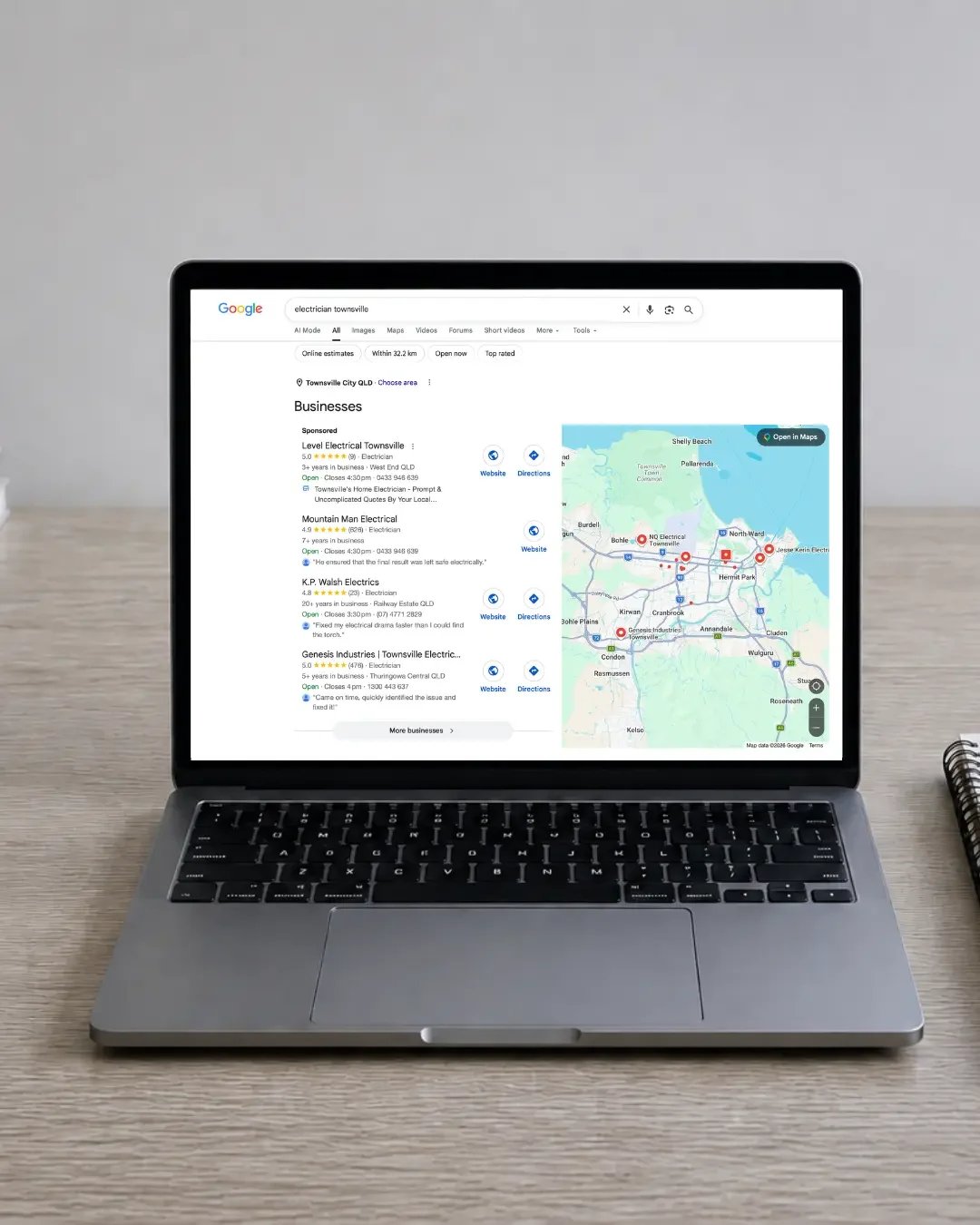
If you’ve searched for your business on Google Maps and can’t find it, it can be frustrating - especially when competitors seem to appear everywhere. For many Townsville service businesses, Google Maps is an important way potential customers discover local businesses. Someone searching for a plumber, roofer, electrician, counsellor, builder or other local service may see Google Maps results before they ever reach a business website.
So why isn’t your business appearing? There usually isn’t one simple reason. Google considers a range of factors when deciding which businesses to display for a particular search, including relevance, distance and how established or prominent a business appears. Here are some of the main things worth checking.
Your Google Business Profile May Not Be Fully Verified
One of the first things to check is whether your Google Business Profile is completely verified. Creating a profile doesn’t necessarily mean it is ready to appear prominently in Google Search and Maps. Google may require verification before your business becomes fully eligible to appear.
Depending on the business, verification may involve methods such as video, phone, email or other options provided by Google. If you manage your profile, check whether Google is showing any outstanding verification requests, warnings or required actions.
If you’ve been having trouble completing verification, you may also find Google Business Profile verification problems in Australia (and how to fix them) helpful.
Your Business Information May Be Incomplete
Google needs enough information to understand what your business does, where it operates and which searches it may be relevant for.
Make sure your Google Business Profile includes accurate:
business name
primary business category
additional relevant categories
services
phone number
website
opening hours
service areas where appropriate
business description
photos
The goal isn’t simply to fill every field for the sake of it. Your information should accurately represent the business customers are actually looking for.
Your Primary Business Category May Be Wrong
Your primary Google Business Profile category is particularly important because it helps Google understand the main type of business you operate. For example, a roofing business may use Roofing Contractor, while a plumber may use Plumber.
If your primary category is too broad, inaccurate or unrelated to your main service, Google may have difficulty determining which searches your business should appear for. Secondary categories can provide additional context, but they shouldn’t be used simply to try to appear for every possible service. Choosing categories should always start with what the business genuinely does.
You May Be Searching for the Wrong Type of Search
There is an important difference between searching for your business name and searching for a service. If your business is called ABC Electrical, you may easily appear when someone searches:
ABC Electrical
but not necessarily for searches such as:
electrician Townsville
electrical contractor Townsville
emergency electrician Townsville
These are completely different searches. A branded search tells Google the person is looking specifically for your business. A service-based search asks Google to choose between multiple businesses it believes could meet that search. That is where competition, relevance, location and local SEO become much more important.
Your Location Can Affect What You See
Google Maps results can change depending on where the person searching is located. A business may appear strongly for someone searching nearby but much further down - or not at all - for someone searching from another part of Townsville. This is particularly important for service-area businesses. Google generally wants to provide results that are useful to the person searching, which means proximity can influence which businesses appear. That is also why checking one search from one location doesn’t always give you the full picture of how visible your business is across Townsville.
Your Google Business Profile May Be Too New
A newly created Google Business Profile may not immediately receive strong visibility. Google still needs to understand the business, its location, its services and how it relates to other businesses competing for similar searches. A new profile may therefore take time to build stronger local visibility. This is one reason I wouldn’t judge a new Google Business Profile purely on where it appears during the first few days after setup. The focus should initially be on getting the foundations right.
Reviews Can Help Build Trust and Prominence
Reviews are not the only factor involved in local search rankings, but they are an important part of a strong Google Business Profile. They also matter enormously to potential customers. A business with recent, genuine customer reviews may appear more established and trustworthy than one with very little customer feedback. Rather than trying to collect a large number all at once, focus on building reviews naturally over time. And respond to them. A healthy review profile is valuable for Google visibility, but it is also valuable because customers actively use reviews when deciding which business to contact.
Your Website Still Matters
Google Business Profiles and websites shouldn’t be treated as completely separate parts of your marketing.
Your website gives Google additional context about:
what services you provide
where you operate
the areas you serve
which services are most important
how your business is relevant to particular searches
For example, if you want to be found for website design Townsville, having a strong website page specifically explaining website design in Townsville gives Google much more useful context than simply mentioning “websites” once on a homepage. The same principle applies to tradies, allied health businesses and other local service providers. This is also why your website and Google Business Profile need to work together.
Your Local SEO Foundations May Be Weak
Your Google Business Profile doesn’t operate in isolation. Google can also look at information about your business elsewhere online.
Local SEO issues may include:
inconsistent business information
weak location signals on your website
limited service-specific content
poor internal linking
very little locally relevant content
weak website structure
missing or inaccurate business details across other platforms
None of these alone necessarily explains poor visibility. But several small weaknesses together can make it harder for Google to confidently understand when your business should appear.
Your Profile May Have a Restriction or Suspension
If your business suddenly disappears from Google Maps, check whether Google has placed a restriction on the profile or suspended it.
Possible issues can include:
verification problems
address concerns
business information that doesn’t comply with Google guidelines
duplicate profiles
significant recent profile changes
other policy issues
If your profile has been suspended, don’t immediately create another listing. Doing so can create duplicate profile problems and make the situation more complicated. It is generally better to identify what caused the problem and work through Google’s reinstatement process.
You can read more in Can You Create a New Google Business Profile After Suspension?
What Should You Check First?
If your Townsville business isn’t showing up on Google Maps, start with the basics:
Confirm the Google Business Profile is verified.
Check for warnings, restrictions or suspension notices.
Review your primary and secondary categories.
Complete your important business information.
Make sure your services are accurate.
Add genuine, useful business photos.
Check your website is correctly linked.
Make sure your website clearly explains what you do and where you operate.
Continue building genuine customer reviews.
Check that your business information is consistent elsewhere online.
Most Google Maps visibility issues aren’t caused by one dramatic problem. They are often the result of several smaller factors working together.
Frequently Asked Questions
Why can I see my business on Google Maps but other people can’t?
Google results can vary depending on the person’s location, search history, device and the exact search they use. You may also see your business differently when logged into the Google account that manages the profile.
How long does it take for a new Google Business Profile to appear on Google Maps?
There isn’t one fixed timeframe. Some businesses begin appearing relatively quickly after verification, while meaningful visibility for more competitive searches may take longer to develop.
Do reviews help my business appear on Google Maps?
Reviews can contribute to the overall strength and prominence of your business, while also helping potential customers decide whether to contact you. They are important, but they are only one part of local search visibility.
Does my website affect my Google Business Profile visibility?
Your website can help Google better understand your services, location and relevance to particular searches. A strong website and Google Business Profile should support each other.
Why is my competitor appearing above me on Google?
There is rarely one single reason. Differences may include business location, categories, reviews, website quality, local SEO, relevance to the particular search and the overall strength of the information Google has about each business.
Not Showing Up on Google Maps in Townsville?
If your Google Business Profile exists but you’re unsure why you aren’t being found, guessing usually isn’t the best approach.
Sometimes the issue is your Google Business Profile.
Sometimes it is your website.
Sometimes it is local SEO.
And quite often, it is a combination of several small things. NQ Social Collective’s Online Setup Review looks across your Google Business Profile, website and wider online setup to identify where visibility, trust or enquiry opportunities may be getting lost.
Request an Online Setup Review →
Continue Reading
If you found this helpful, you might also like:
Why Does My Competitor Show Up Above Me on Google?
Why Your Google Business Profile Isn't Ranking in Townsville
Do You Need a Website if You Already Have a Google Business Profile?
Google Business Profile Verification Problems in Australia (and How to Fix Them)
Explore Google Business Profile Optimisation →
Explore Local SEO →
Request a Free Online Setup Review →
View All Services →
Get in Touch →