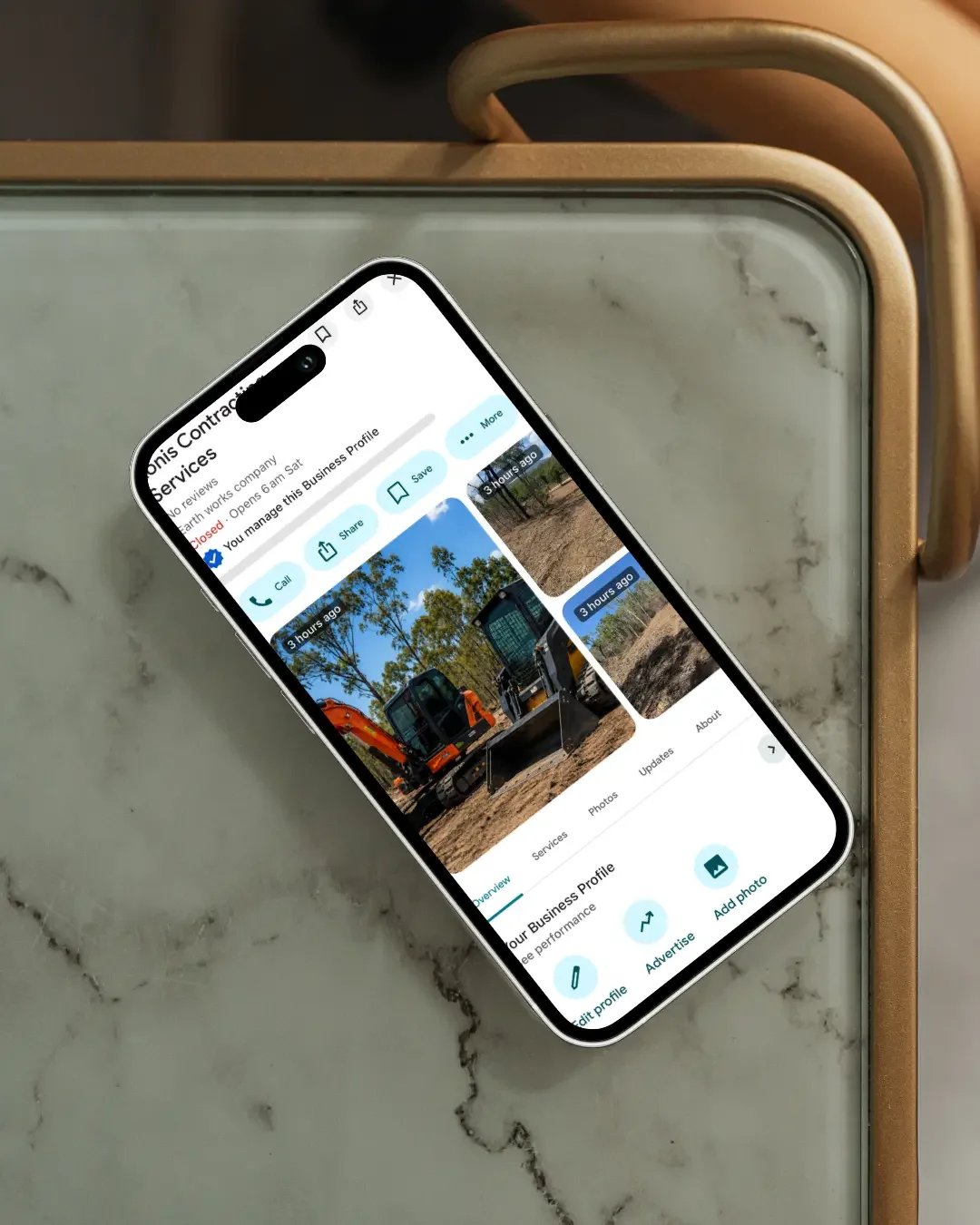
If your business already has a Google Business Profile but it isn't appearing as often as you'd like in Google Search or Maps, optimisation is usually the next place to look. But optimising a Google Business Profile isn't about finding a secret setting or stuffing more keywords into the listing.
Google says local results are mainly based on three things:
relevance, distance and prominence.
In simple terms:
Relevance - how well your business matches what someone is searching for
Distance - how close the business is to the searcher or the location they searched
Prominence - how well known or established the business appears to be
You can't control every part of local ranking. You can, however, make sure Google has clear, accurate and useful information about your business. That is where Google Business Profile optimisation begins.
1. Make sure the profile is verified
Before anything else, your Google Business Profile should be verified. Verification tells Google that you are authorised to represent the business. Google specifically recommends verification as one of the foundational steps for improving local visibility. If your profile is still waiting on verification, optimisation should come after that issue is resolved.
Depending on the business, Google may offer methods such as:
phone or text
email
video recording
live video
mail
Google determines which methods are available. You cannot always choose the verification option you prefer.
2. Use the correct business name
Your Google Business Profile name should reflect your genuine real-world business name.
It should be the name you use consistently on:
your website
signage
invoices
stationery
branding
other customer-facing material
It should not be turned into a keyword list.
For example, if your actual business name is:
Smith Plumbing
the profile should not be changed to:
Smith Plumbing | Plumber Brisbane | Emergency Plumber | Hot Water Repairs
just because those are terms you would like to rank for. Google's guidelines specifically prohibit adding unnecessary information to the business name. Apart from putting the profile at risk, keyword stuffing makes the business look less credible.
3. Choose the strongest primary category
Your primary category is one of the most important parts of your Google Business Profile. It helps Google understand what the business actually is.
The strongest primary category is usually:
the most specific available category that accurately describes the business as a whole.
For example, if a business is primarily a roofing company, Roofing contractor would generally be stronger than choosing a broad category such as Construction company.
Google recommends using categories that are specific and representative of the business rather than treating categories as keywords. You can also add additional categories where they genuinely describe other important parts of the business. But more categories do not automatically equal more visibility. Use them carefully.
4. Complete every relevant business detail
Google says businesses with complete and accurate information are more likely to appear in relevant local search results.
That means checking things such as:
business address where applicable
service areas
phone number
website
business hours
special hours
business category
attributes
services
booking or action links where available
An incomplete profile gives Google less information to work with. It also creates a worse experience for customers.
Imagine someone finds your profile but cannot tell:
whether you're open
whether you service their area
what you actually do
how to contact you
Even if the profile ranks, that visibility may not lead anywhere.
5. Set your address or service area correctly
Not every business should display an address. If customers visit your business at a staffed location, displaying the address may be appropriate. If you travel to customers and they don't visit your business address, you will generally operate as a service-area business.
That might apply to businesses such as:
plumbers
electricians
cleaners
landscapers
mobile mechanics
some builders and contractors
In that situation, your home or operating address usually should not be shown publicly just to try to rank locally. Instead, set realistic service areas that reflect where the business genuinely works. Your Google Business Profile should represent how the business actually operates.
6. Add the services you genuinely provide
For many service businesses, the Services section is worth completing properly. Google allows eligible businesses to list services directly on the Business Profile. Depending on your category, Google may suggest common services or allow you to add your own custom services.
For example, a plumber might list services such as:
tap repairs
toilet repairs
hot water services
blocked drains
A counsellor might include:
individual counselling
relationship counselling
online counselling
A cabinetmaker might list:
custom kitchens
vanities
laundries
wardrobes
This gives customers more information and can help Google better understand what the business offers. Google also notes that when someone searches for a service you provide, that service may be highlighted on your Business Profile.
The key is accuracy. Don't add services you don't genuinely offer simply because you want to appear for more searches.
7. Write a useful business description
Your business description is another opportunity to explain the business clearly.
It should help a customer understand:
what you do
who you help
where you operate
what makes the business relevant to them
Avoid turning it into a wall of keywords. A stronger description sounds like a real explanation of the business.
For example:
Smith Plumbing provides residential plumbing services across Brisbane, including blocked drains, hot water systems, tap repairs and general plumbing maintenance.
is far more useful than:
Best plumber Brisbane, plumbing Brisbane, cheap plumber Brisbane, emergency plumbing Brisbane.
Google's guidelines say the description should contain useful, relevant information about the business and should not focus on promotions, sales or irrelevant content.
8. Keep your opening hours accurate
Hours sound basic. They still matter. Google specifically recommends keeping your regular and special hours accurate.
That includes updating:
normal trading hours
public holiday hours
temporary closures
seasonal hours
Customers rely heavily on this information. If your profile repeatedly tells people you're open when you're not, that damages trust. Accurate hours are a small optimisation task with a very practical customer benefit.
9. Build a steady flow of genuine reviews
Reviews are one of the most important trust signals on a Google Business Profile. Google also confirms that more reviews and positive ratings can help a business's local ranking. That doesn't mean chasing hundreds of reviews overnight. It means building a genuine review process into the business.
After a successful job or service, ask the customer if they would be comfortable leaving feedback. Keep the process simple.
And importantly:
don't buy reviews, offer incentives for positive reviews or manufacture them yourself.
The aim should be an authentic pattern of customer feedback over time.
10. Respond to your reviews
Review optimisation isn't only about collecting reviews. Respond to them. Google specifically recommends responding to reviews because it shows customers that you value their feedback. Your replies don't need to be long.
A good review response can:
thank the customer
acknowledge something specific
sound like a real person
reinforce the professionalism of the business
Avoid copying the exact same response onto every review. Even a small amount of personalisation makes the business feel more genuine.
11. Add genuine photos and videos
Images matter because people use them to decide whether the business feels credible. Google recommends adding photos and videos that show what you offer and help customers understand the business.
Depending on the business, useful photos may include:
your storefront
team
vehicles
completed projects
products
treatment rooms
equipment
before-and-after work
office or workspace
For service businesses, genuine project photography is particularly valuable.
A roofing company should show roofs.
A cabinetmaker should show kitchens and cabinetry.
A builder should show completed work.
A clinic should show the environment and team where appropriate.
Google's current photo guidelines recommend images that are in focus, well lit and representative of reality rather than heavily altered or excessively filtered.
12. Keep adding current photos
Don't upload six photos when the profile is created and then never touch it again.
Your business changes.
You complete new projects.
You add new equipment.
Your team changes.
Your premises improve.
Your Google Business Profile should reflect the business customers are dealing with now.
For a local service business, regularly adding genuine photos is also a practical way to keep the profile useful and current.
The goal isn't to upload images simply to “feed Google”. The goal is to build a richer, more credible representation of the business.
13. Use Google Posts where they genuinely help customers
Google Business Profile posts can be used to share:
business updates
offers
events
news
photos
videos
links to useful pages
They can appear on the Business Profile in Search and Maps. I wouldn't treat posts as some guaranteed ranking hack. Google's own local-ranking guidance does not say that posting every week automatically makes you rank higher.
That claim gets repeated far too often. Instead, use posts because they can help keep the profile current and give customers more reasons to engage with the business.
A useful post might:
showcase a recently completed project
explain a service
link to a useful blog
announce an update
promote an event
highlight a seasonal service
Think customer value first.
14. Make sure your website supports the profile
This is one of the most important parts of Google Business Profile optimisation and one that is often overlooked. Your profile doesn't exist in isolation. Google also looks at information about the business from elsewhere online.
Your website should reinforce the same:
business name
services
location
phone number
service areas
positioning
If your Google Business Profile says you're primarily a roofing contractor but your website barely mentions roofing, the signals are weaker. If you want to be found for a commercially important service, that service should usually have meaningful supporting information on the website.
This is why NQ Social Collective approaches Google Business Profile optimisation as part of the wider online setup.
Your website and Google Business Profile should be telling the same story.
15. Check that your website link goes to the right page
Most businesses link their Google Business Profile to the homepage. For a single-location local business, that is often appropriate.
But whatever page you choose should:
be live
work properly on mobile
clearly represent the business
match the profile information
make it easy to contact you
Don't send Google users to an outdated page, a broken URL or a generic page that tells them almost nothing. The click from your Google profile is a valuable one. The website needs to continue the journey.
16. Don't create duplicate profiles
More Google Business Profiles don't mean more visibility.
If the same business has duplicate listings, that can create:
ownership confusion
split reviews
inaccurate business information
customer confusion
potential profile issues
Before creating a new profile, always check whether one already exists.
This is especially important when:
buying an existing business
changing business names
moving premises
taking over an old business
discovering a profile created by a previous employee or agency
Fix the existing setup where possible instead of automatically starting again.
17. Don't keep making unnecessary changes
Another mistake is constantly editing the profile because rankings moved. Local rankings fluctuate. And Google says distance is one of the main local ranking factors. That means two people standing in different suburbs can see different results.
Before changing categories, names, addresses or services, make sure there is actually something wrong. Repeatedly changing important profile information can create unnecessary verification or trust issues.
Optimisation should make the profile more accurate, not simply more active.
18. Understand what you cannot control
This is important. You cannot optimise your way around distance. If somebody searches for a plumber five kilometres from one business and thirty kilometres from another, their location can affect the results.
Google explicitly lists distance as a major local-ranking factor. That means a perfectly optimised profile is not guaranteed to appear first everywhere across an entire city.
Likewise, nobody can legitimately guarantee:
“We'll put you number one on Google Maps.”
Google specifically states that there is no way to request or pay for a better local ranking. Be very wary of anyone promising otherwise.
19. Strengthen prominence beyond Google Business Profile
Google defines prominence partly by how well known a business is.
It says this can include information such as:
links to the business from other websites
reviews
review ratings
wider information Google can find about the business
So Google Business Profile optimisation shouldn't stop inside the profile.
A stronger local online presence can also involve:
a well-built website
useful local content
genuine backlinks
accurate business listings
industry associations
local mentions
reviews
This is where Google Business Profile optimisation and local SEO begin to overlap.
20. Measure what is actually happening
Don't optimise blindly. Google Business Profile provides performance information that can help you understand how customers are finding and interacting with the business. Your website's Google Search Console data can provide another layer of information.
Together, you can start looking at:
search visibility
website clicks
calls
directions
search queries
website impressions
pages gaining traction
The goal isn't simply to make the profile look complete. It's to make the entire local search journey stronger.
What actually improves Google Business Profile visibility?
If you strip away all the tricks and shortcuts, the strongest approach is fairly straightforward.
Make sure Google can clearly understand:
What is this business?
What does it offer?
Where does it operate?
Is the information accurate?
Do customers appear to trust it?
Does the wider web support the same information?
That is what good Google Business Profile optimisation is trying to achieve.
Frequently Asked Questions
Does completing my Google Business Profile help it rank?
Google says businesses with complete and accurate information are more likely to show in relevant local search results. Complete the relevant parts of the profile, but keep everything accurate.
Do Google reviews improve ranking?
Google states that more reviews and positive ratings can help local ranking. Reviews also play an important role in customer trust and conversion.
Do Google Posts improve ranking?
Google provides Posts as a way to share updates, offers and events with customers. Google's official local-ranking guidance does not state that posting frequently directly increases ranking, so I wouldn't treat Posts as a ranking shortcut. Use them to keep the profile informative and useful.
How often should I add photos?
There is no official requirement to upload photos on a fixed schedule. Add genuine, current photos whenever you have useful new material that helps customers understand the business.
Should I put keywords in my business name?
Only if those words are genuinely part of your real-world business name. Adding extra keywords to a Google Business Profile name is against Google's guidelines and can put the profile at risk.
How many categories should I use?
Use the most specific and accurate primary category, then add only additional categories that genuinely describe the business. Google recommends using as few categories as possible while still representing the core business accurately.
Why does my Google Business Profile rank differently in different suburbs?
Distance is one of Google's main local-ranking factors. That means your visibility can change depending on where the person searching is located. This is normal.
Can someone guarantee me the number-one position on Google Maps?
No. Google explicitly states that there is no way to request or pay for a better local ranking. Be cautious of businesses guaranteeing specific Google Maps positions.
Google Business Profile optimisation is bigger than one listing
A strong Google Business Profile can make a significant difference to how customers discover and assess a local business. But the profile is only one part of the online setup.
Your:
categories
services
reviews
photos
website
local content
business information
broader online presence
should all be reinforcing the same business. When those pieces work together, Google gets a much clearer picture of who you are and when your business may be relevant. Customers do too.
Need help optimising your Google Business Profile?
NQ Social Collective provides Google Business Profile optimisation and troubleshooting for businesses across Australia.
That can include reviewing:
primary and additional categories
services
business information
address and service areas
reviews
photos
website alignment
verification
profile ownership
wider local SEO issues
The aim isn't to make random changes hoping something improves. It's to understand how the profile fits into the wider online presence and identify what may be limiting visibility.
Explore Google Business Profile Help →
Continue Reading
If this article was helpful, you may also like to read more about:
How Do I Choose the Right Google Business Profile Categories?
Why Your Website & Google Business Profile Must Work Together
Why Your Competitor Shows Up Before You on Google
Request an Online Setup Review→
View all services→
Get in Touch→