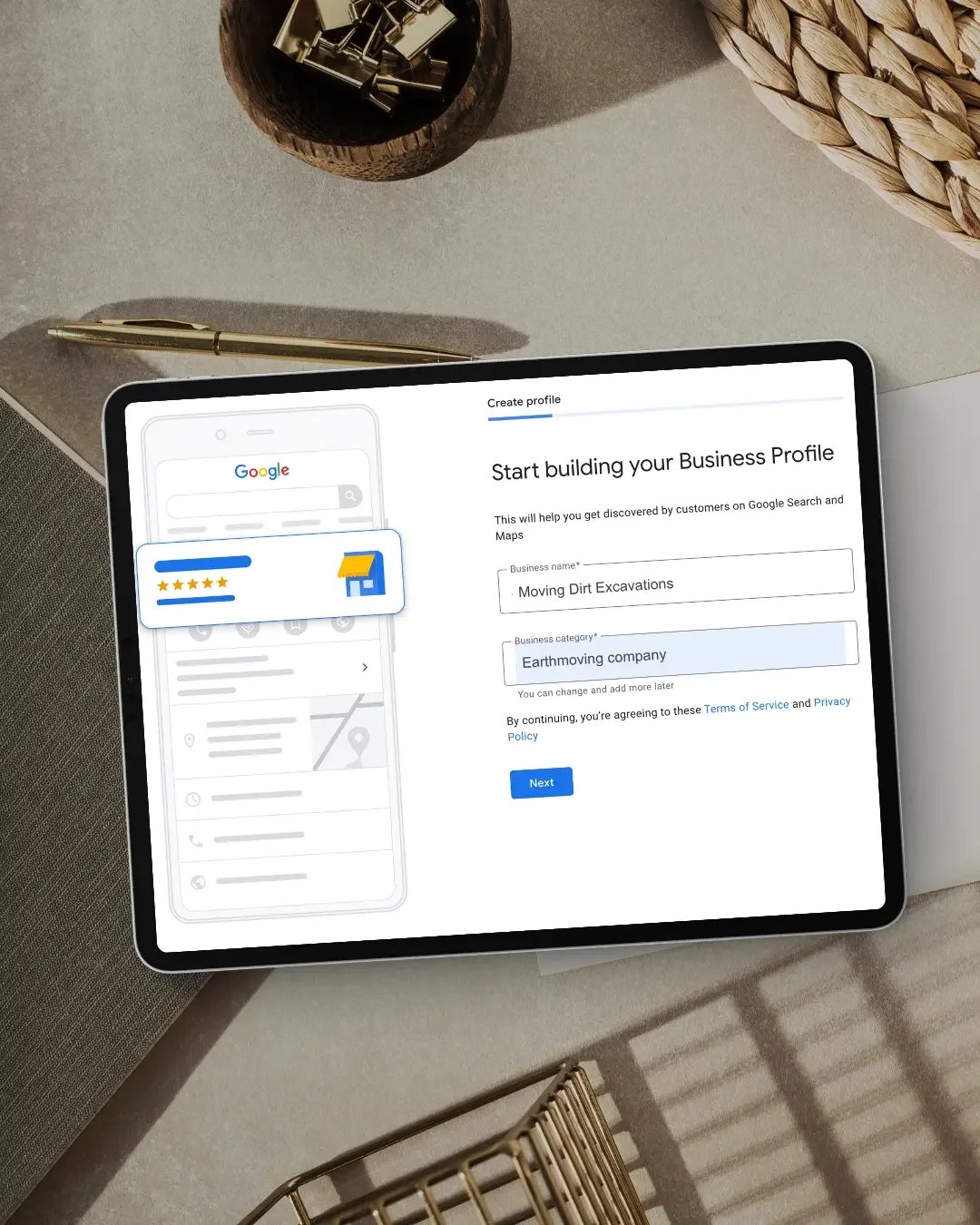
Choosing your Google Business Profile categories can look like a small setup task. It isn't. Your categories help Google understand what your business actually is and can influence when your profile appears in local search results. Google specifically states that the categories you select can affect your local ranking. That means choosing the wrong category - or adding a long list of loosely related categories - can make your profile less accurate rather than more visible.
The most important rule is simple:
Your primary category should be the most specific available category that accurately describes your business as a whole.
Additional categories can then be used where they genuinely describe other important parts of the business.
What are Google Business Profile categories?
Categories are predefined labels Google uses to understand the type of business you operate. You don't create your own category. Instead, you choose from the options Google provides.
For example, Google may offer specific categories such as:
Electrician
Roofing contractor
Physiotherapist
Cabinet maker
Hair salon
Real estate agency
Graphic designer
Counsellor
Your category helps Google connect your business with people searching for relevant products or services. Google gives the example that a business with a primary category of Pizza restaurant may still appear for broader searches such as restaurants or Italian restaurants.
In other words, you don't need to select every possible variation of your industry just to cover more keywords. Google can understand broader relationships between categories.
What is the primary Google Business Profile category?
Every Business Profile has one primary category. This is the category Google considers the main description of what the business is. If you select several categories, the first category becomes the primary one. Your primary category matters because it helps establish the main context of the profile.
Google recommends choosing a category that is:
specific
accurate
representative of your main business
For example, if Google offers Nail salon, that would generally be better than choosing the broader category Salon if nail services are what the business primarily provides.
Think: “This business IS a…”
One of the most useful pieces of guidance Google provides is to think of your category as completing this sentence:
“This business IS a…”
Not:
“This business HAS a…”
That distinction prevents a lot of category mistakes.
For example:
A hotel may have an ATM. That doesn't mean ATM should be one of the hotel's categories.
A roofing contractor may offer gutter replacement. That doesn't necessarily mean every related construction category should be added to the profile.
A health clinic may provide several individual treatments. That doesn't mean every possible treatment needs to become a business category.
The category should describe the business itself rather than every product, service or feature it offers.
How do I choose the best primary category?
Start with the main service or business model.
Ask:
If I had to describe this business using one recognised business type, what would it be?
That is usually where your primary category should begin.
Be as specific as you can - but stay accurate
Google advises businesses to choose the most specific available category that still accurately represents the business. For example, if your business is specifically a roofing company and Google offers Roofing contractor, that is generally more useful than selecting a much broader construction category.
Likewise, if you're a cabinetmaker, a category specifically describing cabinetmaking will usually be more accurate than a general home-improvement category. Specificity helps Google understand exactly what the business does. But specificity should never come at the expense of accuracy.
Should I choose the category with the highest search volume?
No. This is where category selection can go wrong. The goal isn't to find the category that sounds like the biggest keyword. The goal is to accurately describe the business. Google explicitly advises businesses not to use categories purely as keywords.
For example, you shouldn't choose a category for a service you only occasionally provide just because you think more people search for it. Your primary category should reflect the business customers are actually dealing with.
What are additional categories?
Google also allows businesses to add additional categories. At present, you can add up to nine additional categories alongside your primary category. That does not mean you should use all nine.
Google's guidance is to use as few categories as possible while still accurately describing the core business. Additional categories are useful when a business genuinely operates across more than one recognised business type.
For example, Google gives the example of a grocery store that also includes a bakery and deli. The primary category may be grocery store with additional categories such as bakery and deli. That makes sense because those are genuine parts of the business.
Should I add a category for every service I offer?
Usually, no. This is probably one of the most common mistakes. Categories are not the same as services. Your Google Business Profile can also include individual services, which is usually a better place to describe the different things you offer.
For example, a roofing contractor might provide:
roof replacements
roof repairs
gutter replacement
storm-damage repairs
That doesn't automatically mean each one requires its own business category. Your categories describe what the business is. Your services explain what the business provides. Keeping those two functions separate usually produces a cleaner and more accurate profile.
Can too many categories hurt my Google Business Profile?
Adding more categories does not automatically make the profile stronger. If additional categories aren't genuinely representative of the business, they can make the profile less accurate. Google's own guidance is to keep categories focused on the overall core business and avoid unnecessary or redundant selections. You do not need to collect categories like keywords. More is not necessarily better.
A smaller number of highly relevant categories is usually a stronger approach than filling every available space.
What if the exact category I want doesn't exist?
This happens fairly often. Google doesn't provide every business description you could possibly think of. If the exact category isn't available, Google recommends choosing the next most appropriate general category that still accurately represents the business.
You cannot simply create a custom category. This can sometimes require a little judgement.
The question becomes:
Which category available in Google most accurately describes what this business actually is?
Not:
Which category sounds closest to the keyword I want to rank for?
Can I copy my competitors' Google Business Profile categories?
Competitor research can be useful. Blindly copying another business is not.
A competitor may:
provide different services
operate under a different business model
have selected categories incorrectly
have categories that no longer suit your business
have additional departments or offerings you don't provide
Looking at competitors can help you understand the local landscape, but your profile still needs to accurately represent your business. I would use competitor categories as research, not as instructions.
Primary category vs additional categories: an example
Imagine a business primarily focused on custom cabinetry but also offering broader joinery services. If Google provides a category that specifically describes cabinetmaking, that may be the strongest primary category.
Additional categories should then only be added if they accurately reflect a meaningful part of the business.
You wouldn't add:
kitchen remodeler
bathroom remodeler
interior designer
furniture maker
construction company
simply because some projects happen to involve kitchens, bathrooms, interiors or building work. The question is whether the business genuinely is those things. That is the standard Google wants you to apply.
Do Google Business Profile categories affect ranking?
Yes. Google states that your selected business categories can affect your local ranking. Categories help Google understand when your profile might be relevant to a person's search. But category choice is only one part of local visibility.
Google also considers broader signals around:
relevance
distance
prominence
your website
reviews
business information
online references to the business
Choosing the right category gives Google a clearer starting point. It does not override everything else.
Should my website support my Google Business Profile category?
Yes. This is something I pay particular attention to when reviewing a business's wider online setup. If your Google Business Profile says your primary business is one thing but the website barely mentions that service, the overall picture becomes weaker.
Your website should naturally reinforce the same core business information.
That can include:
homepage messaging
service pages
page titles
headings
location information
supporting content
Google's own Business Profile guidelines note that it can also detect category information from your website and from mentions of the business elsewhere on the web. This is why I don't look at Google Business Profile optimisation in isolation. The profile and website should support the same story.
How do I change my Google Business Profile category?
Google's current process is straightforward:
Go to your Business Profile.
Select Edit profile.
Find Business category and select edit.
Enter and select your new primary category.
Add any genuinely relevant additional categories if required.
Save the changes.
An important point:
Google may ask you to verify your business again after adding or changing a category.
Google specifically warns that category changes can trigger re-verification because it needs to confirm that the updated information is accurate. So I wouldn't repeatedly change categories just to test different keywords. Make changes because they make the profile more accurate.
Should I change categories if my Google rankings are poor?
Not automatically. Poor local rankings don't always mean your category is wrong. Before changing anything, look at the wider setup.
Ask:
Is the primary category genuinely accurate?
Are there more specific categories available?
Are unnecessary categories currently added?
Does the website support the same primary service?
Are the services section and business information complete?
Is the profile correctly configured for how the business operates?
Are reviews and local relevance developing?
If the category is already correct, repeatedly changing it may not solve the actual issue. Sometimes the problem sits elsewhere in the online setup.
Frequently Asked Questions
How many Google Business Profile categories can I use?
You have one primary category and Google currently allows up to nine additional categories. You don't need to use them all. Use only the categories that genuinely describe your business.
What is the most important Google Business Profile category?
The primary category is the most important because it tells Google the main type of business you operate. Choose the most specific available category that accurately represents the business as a whole.
Can I create my own Google Business Profile category?
No. You must choose from Google's available categories. If the exact category you want doesn't exist, select the closest accurate category available.
Should I add all of my services as categories?
No. Categories describe the type of business you operate. Individual services should generally be added through the Services section of your Google Business Profile instead.
Can changing my category improve my ranking?
If your current category is inaccurate or there is a significantly more appropriate category available, correcting it may help Google better understand your business. But changing categories isn't a guaranteed ranking shortcut.
Can changing my Google Business Profile category cause verification?
Yes. Google states that adding or changing a category may trigger another verification request. That is one reason to avoid unnecessary category changes.
The right category helps Google understand the right business
Google Business Profile optimisation isn't about finding as many keywords as possible and putting them everywhere.
It's about helping Google accurately understand:
who the business is, what it does and when it should be relevant to customers.
Your primary category is one of the clearest signals you can give Google. Choose it carefully. Then make sure your website, services, business information and wider online presence support that same positioning.
Not sure whether your Google Business Profile is set up correctly?
NQ Social Collective provides Google Business Profile help to businesses across Australia, including setup, optimisation and troubleshooting.
That can include reviewing:
primary and additional categories
business information
service areas
services
website alignment
ownership and access
verification issues
wider profile setup
Sometimes one setting is the problem. Other times, several parts of the online setup simply aren't working together properly.
Explore Google Business Profile Help →
Continue Reading
If this article was helpful, you may also like to read more about:
How Do I Recover Access to My Google Business Profile?
How Often Should You Update Your Google Business Profile?
Why Your Website & Google Business Profile Must Work Together
Request an Online Setup Review→
View all services→
Get in Touch→